Before you start
What you need
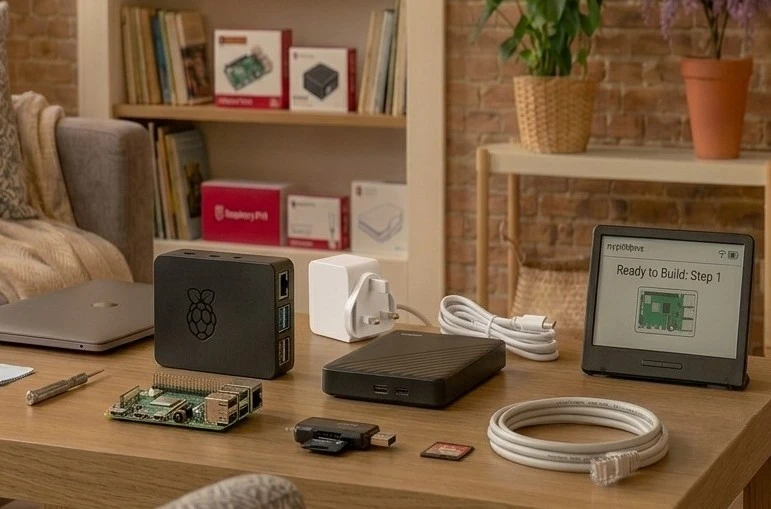
myUSBdrive runs on a Raspberry Pi with your own USB drive. Here is the short shopping list. If you already have a Pi, you are most of the way there.
Before you start
myUSBdrive runs on a Raspberry Pi with your own USB drive. Here is the short shopping list. If you already have a Pi, you are most of the way there.
Typical total: about £90
Board prices checked at The Pi Hut in August 2026; the Pi, power supply and official accessories are also available from raspberrypi.com's approved resellers and any electronics retailer. You buy the kit once, and there is nothing else to pay to use myUSBdrive at home.
Raspberry Pi 4 with 2GB (£53) is the sweet spot. myUSBdrive peaks at about 520MB in use, so 4GB or 8GB costs a lot more and does nothing for you.
Raspberry Pi 5 with 2GB (£62) is the newer board and noticeably quicker, which shows most when a big library is being scanned. Either one streams films, music and photos comfortably.
Raspberry Pi 3 is supported and capable. It is slower in three places: playing films your browser cannot play directly (such as MKV files), which the Pi converts as you watch; copying large files to and from the drive; and scanning a big library for the first time. That is because its processor is older and its network and USB ports share one slower connection. If you mainly want to store and back up your files, play music and look at photos, you will not notice the difference.
Use any normal USB drive. A mains-powered USB drive is recommended, especially with a Raspberry Pi 3.
No email address, no account, no waiting for a link. The file starts downloading when you click.
Follow the full walkthrough, with a screenshot for every step, from writing the SD card to signing in for the first time.
Step-by-step installation guidea7a7d1eb0f472cad76ef36099b7733e8305c14160b1ba00a0a3859d822512d70
After the download finishes, run one command and compare the result with the string above. If they match, the file arrived intact.
Windows PowerShell
Get-FileHash myUSBdrive_6.2.30.zip -Algorithm SHA256
macOS or Linux
shasum -a 256 myUSBdrive_6.2.30.zip
Watch a real installation from start to finish, from writing the SD card to browsing your files.
Watch the setup walkthroughOccasional email about what is new in myUSBdrive. Nothing else, and you can unsubscribe any time.