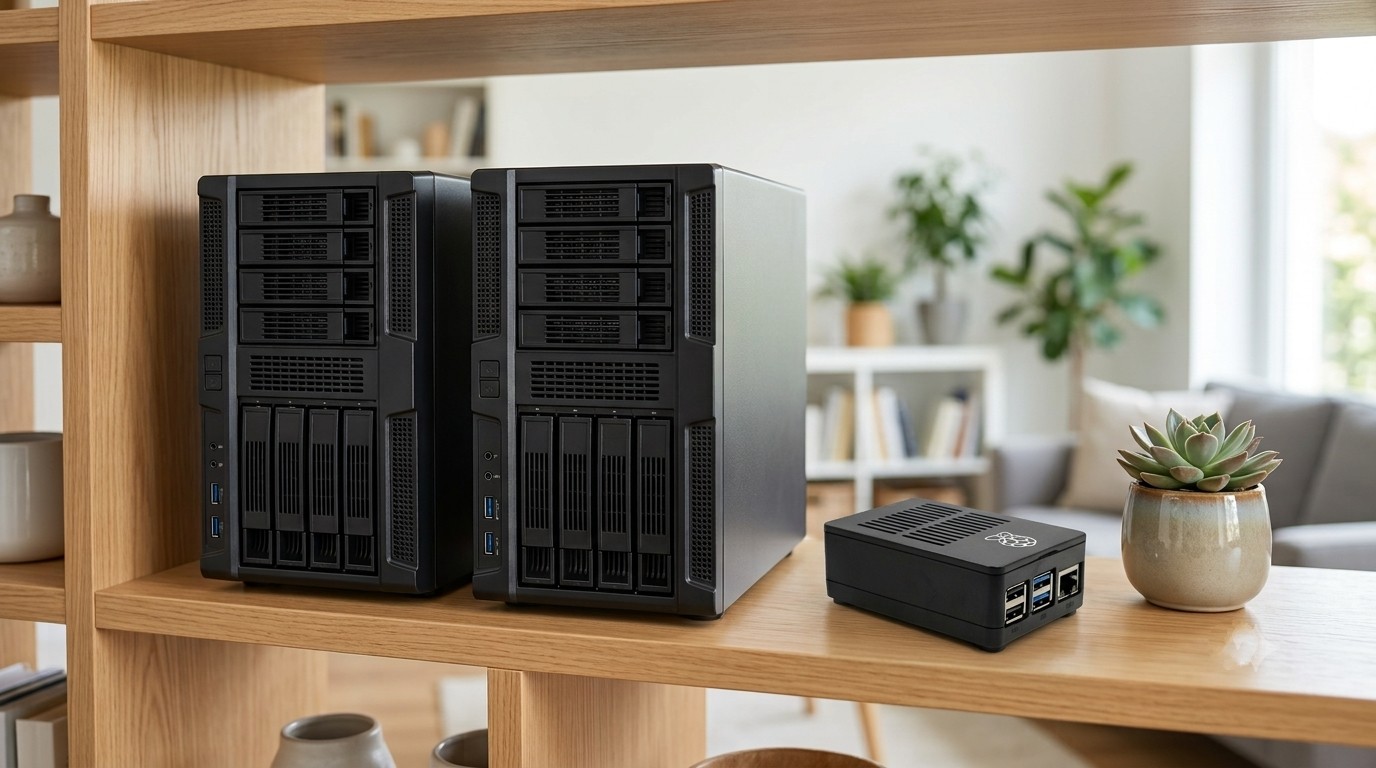
I made myUSBdrive, so you'd expect me to tell you it's the best choice for everyone. I'm not going to, because it isn't. For some people a commercial NAS from Synology or UGreen is the better buy, and I'd rather you knew that now than felt let down later.
Where the expensive boxes win, I'll say so plainly. Where myUSBdrive wins, I'll say that too.
First, what is a NAS?
A NAS (network attached storage) is a little always-on box containing hard drives that everyone in the house can reach. Synology is the long-established name, polished and reliable. UGreen is the newer challenger, more powerful hardware for the money, with software that's still maturing.
One thing to know before you compare prices: a NAS is almost always sold diskless, so the hard drives are an extra purchase on top of the box. And some makers are particular about which drives you're allowed to use. Synology, for instance, moved in 2025 to require its own or specifically certified drives for full features on its newer models, easing the policy only after a public backlash, and even then not entirely (Tom's Hardware). It's an extra cost, and sometimes an extra restriction, that's easy to overlook.
myUSBdrive does the same core job, streaming and sharing your files around the house, but instead of a purpose-built box it runs on a Raspberry Pi with a USB drive you already own. That one difference is behind almost everything below.
Where Synology and UGreen genuinely win
Let me not be coy about this. If you buy a good NAS, here is what you get that myUSBdrive does not give you:
Speed. A dedicated NAS uses proper internal drive bays and faster networking. Moving very large amounts of data, or several people hammering it at once, will be noticeably quicker. myUSBdrive runs over USB on a small computer, and for heavy, sustained work it will be slower. That's physics, and I won't pretend otherwise.
Reliability under load. NAS hard drives are built to run 24 hours a day for years. The USB drive on your desk probably wasn't. myUSBdrive answers this a different way (more on that below), but drive-for-drive, a NAS-grade disk is the tougher tool.
RAID. NAS boxes can combine several drives so that if one dies, nothing is lost and the system keeps running. It's a genuinely valuable feature. myUSBdrive doesn't do RAID, but it protects you in a simpler way, by automatically mirroring your drive onto a second USB drive, included in the free version. More on that below.
Granular user accounts and apps. Want ten separate logins, each with permission to see only certain folders? A big app store for photo AI, surveillance cameras, download managers and the rest? That's Synology's home turf, and myUSBdrive deliberately doesn't try to match it.
Where myUSBdrive wins
Now the other side of the ledger, just as honestly.
Cost. This is the big one. A Synology DS224+ is around £360 and a UGreen DXP2800 around £300, and that's before you buy any hard drives, which easily adds another £150 or more. All in, you're realistically looking at £450 to £550. myUSBdrive runs on a Raspberry Pi kit for about £95, using a USB drive you probably already have. For a lot of families, that difference alone decides it.
Simplicity. A NAS is a real little computer with a real admin panel. That power comes with setup, decisions and maintenance, apps to find and configure before you can even stream a film or browse your photos. Synology, for example, dropped its own video app in 2024 (heise online), so playing a film now usually means installing and setting up a third-party option like Plex or Jellyfin, on top of Synology Photos for your pictures. myUSBdrive comes with a media player and photo library built in, nothing to install, nothing to configure.
No lock-in. Your files stay on an ordinary USB drive in an ordinary format. Unplug it and read it on any computer. And this isn't just theory with the big brands: in 2025 Synology tried to block third-party hard drives on its new models, restricting full features to its own pricier drives, and only backed down after a public outcry (and even then, not completely). It's a reminder that with a proprietary box, the rules can change after you've bought in.
Backup built in, for free. myUSBdrive doesn't do RAID, but it does something simple and effective: it can automatically mirror your main drive onto a second USB drive, at no extra cost. I keep my mirror drive out in the shed, so even if something happened to the house, a copy of everything is sitting safely somewhere else. On a NAS, that kind of off-machine copy usually means more drives, more setup, or a subscription.
Side by side
| myUSBdrive | Synology / UGreen NAS | |
|---|---|---|
| Typical all-in cost | About £95 | About £450 to £550 |
| Speed for heavy use | Fine for streaming; slower for big transfers | Faster |
| Setup | A few minutes hands-on, no networking knowledge | Longer, admin panel to learn |
| Protection from drive failure | Free automatic mirror to a 2nd USB drive | RAID across internal drives |
| Multiple user accounts | Simple, household level | Detailed, per-user permissions |
| App ecosystem | Media, files, photos, the essentials | Large app store |
| Your files stay ordinary files | Yes, on a plain USB drive | Usually in the NAS's own system |
So which one is right for you?
Here's the honest test, and it takes one question: what do you actually care about most?
Buy a Synology or UGreen NAS if...
Raw speed matters to you, you want RAID, or you need fine-grained control, such as separate locked-down accounts for many people, or a big library of add-on apps. If those words sound useful rather than baffling, you're a NAS person, and myUSBdrive is honestly not the right product for you. Buy the box.
Choose myUSBdrive if...
Ease of use, simplicity and cost are what matter to you. If you mostly want your photos, films and music safely at home, streamed to the family's phones, tablets and computers, without a big bill, a steep learning curve, or any risk of being locked in, then this is exactly what myUSBdrive was built for.
There's no wrong answer here. They're different tools for different people. The only mistake would be paying for a powerful NAS you'll never stretch, or reaching for the simple option when you genuinely need the powerful one.
If simple, affordable and yours sounds right
myUSBdrive turns a Raspberry Pi and any USB drive into private cloud storage and a media server for the whole house. Free at home, forever, about £95 for the whole kit, and only a few minutes of hands-on setup.
See what you need to build yoursSources & prices: NAS pricing from UK retail at the time of writing (Synology DS224+ ~£360, UGreen DXP2800 ~£300, before drives); see this DS224+ vs DXP2800 comparison. Synology's 2025 third-party drive restriction and partial reversal reported by Tom's Hardware. Synology's discontinuation of Video Station reported by heise online; Synology Photos package details from Synology. Prices drift, so check current figures before buying.